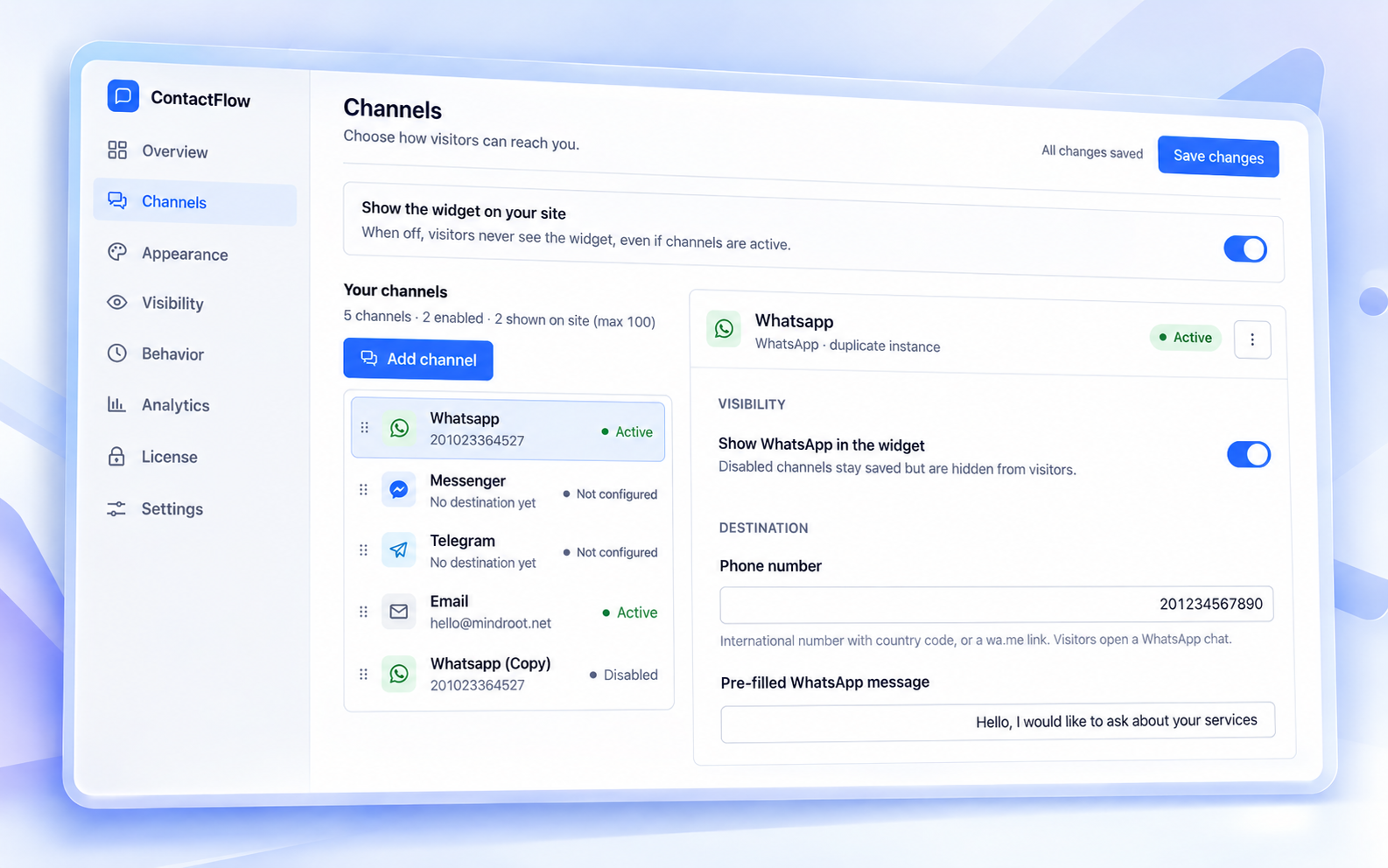
WhatsApp messages, ready to send
Add an optional prefilled WhatsApp message so visitors can start with context.
WordPress Contact Widget · Free & Pro
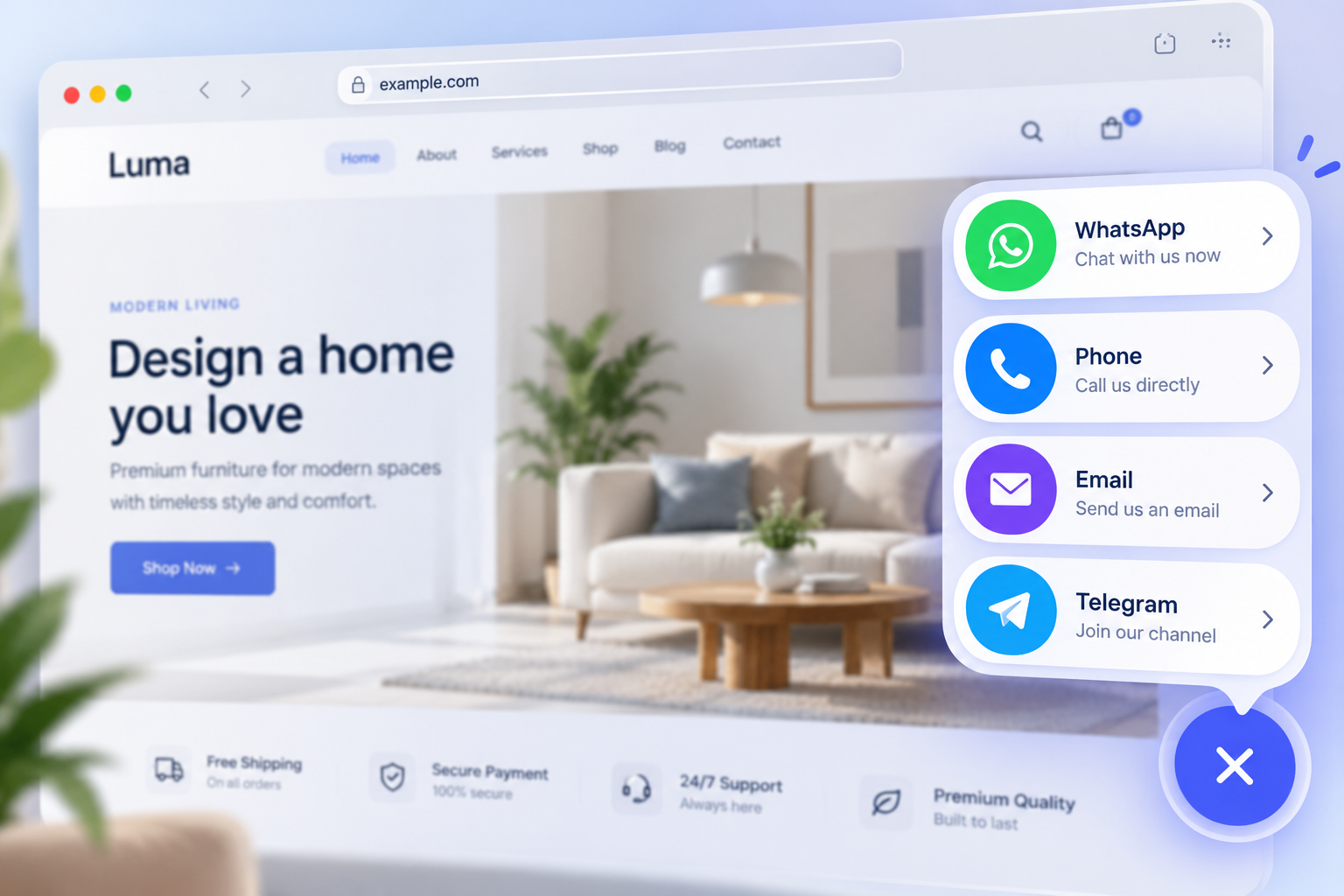
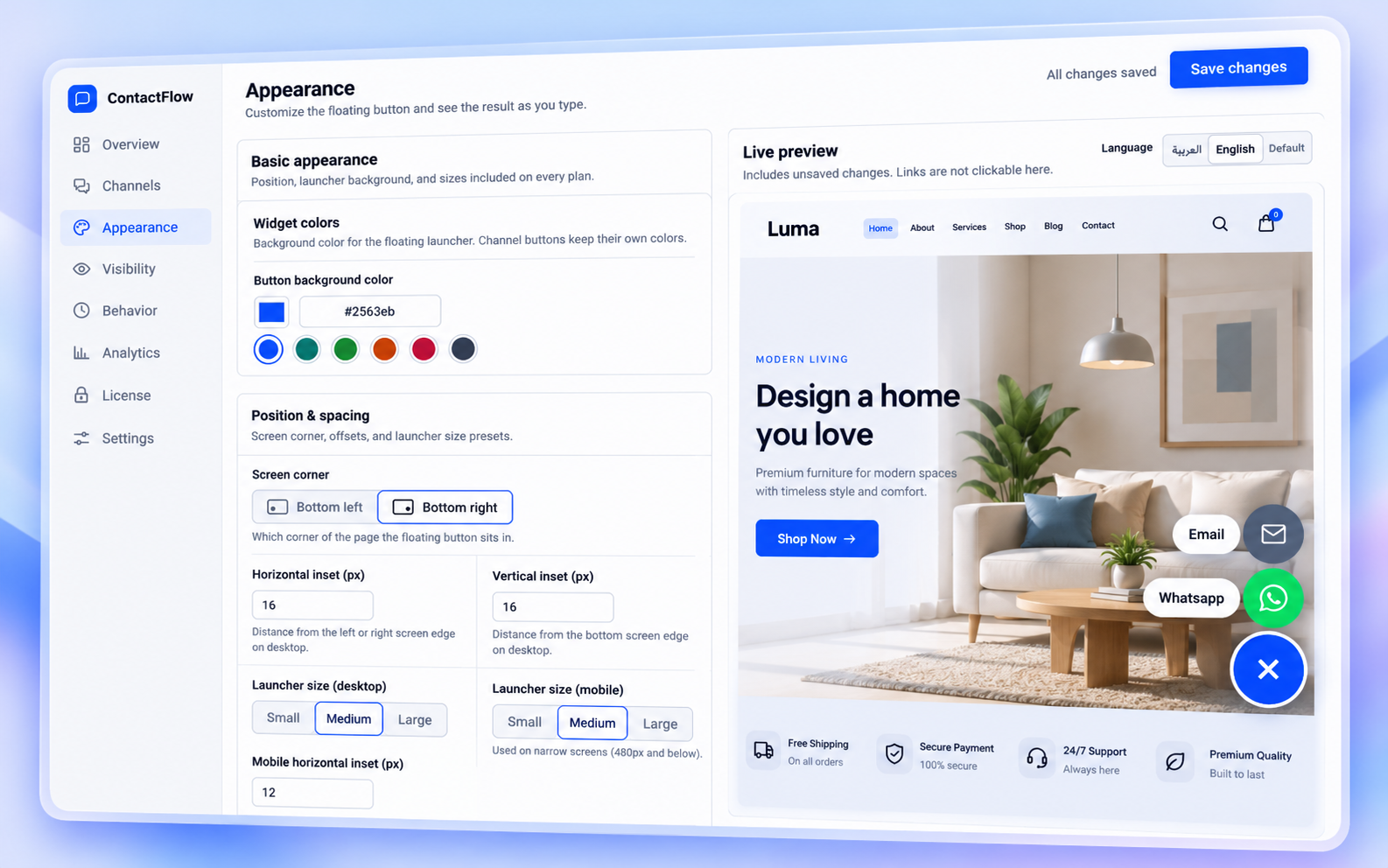
Put WhatsApp, phone, email and social channels in one floating widget. Start free, then unlock smarter display controls and interaction analytics with Pro.
The challenge
Before
After
The problem
Your visitors may prefer WhatsApp, a phone call, email or a social channel. Scattered links make those options harder to find—and without interaction data, you cannot easily tell which contact buttons visitors use.
The solution
ContactFlow presents your channels in one consistent floating widget. With Pro, you can measure impressions, opens and channel clicks, then refine how and where the widget appears.
Built for how people communicate
Add contact buttons for WhatsApp, phone, email, social platforms, booking links and more. Set each destination, label, icon and color, then arrange the buttons in the order that works for your website. The Free plan supports up to five active buttons.
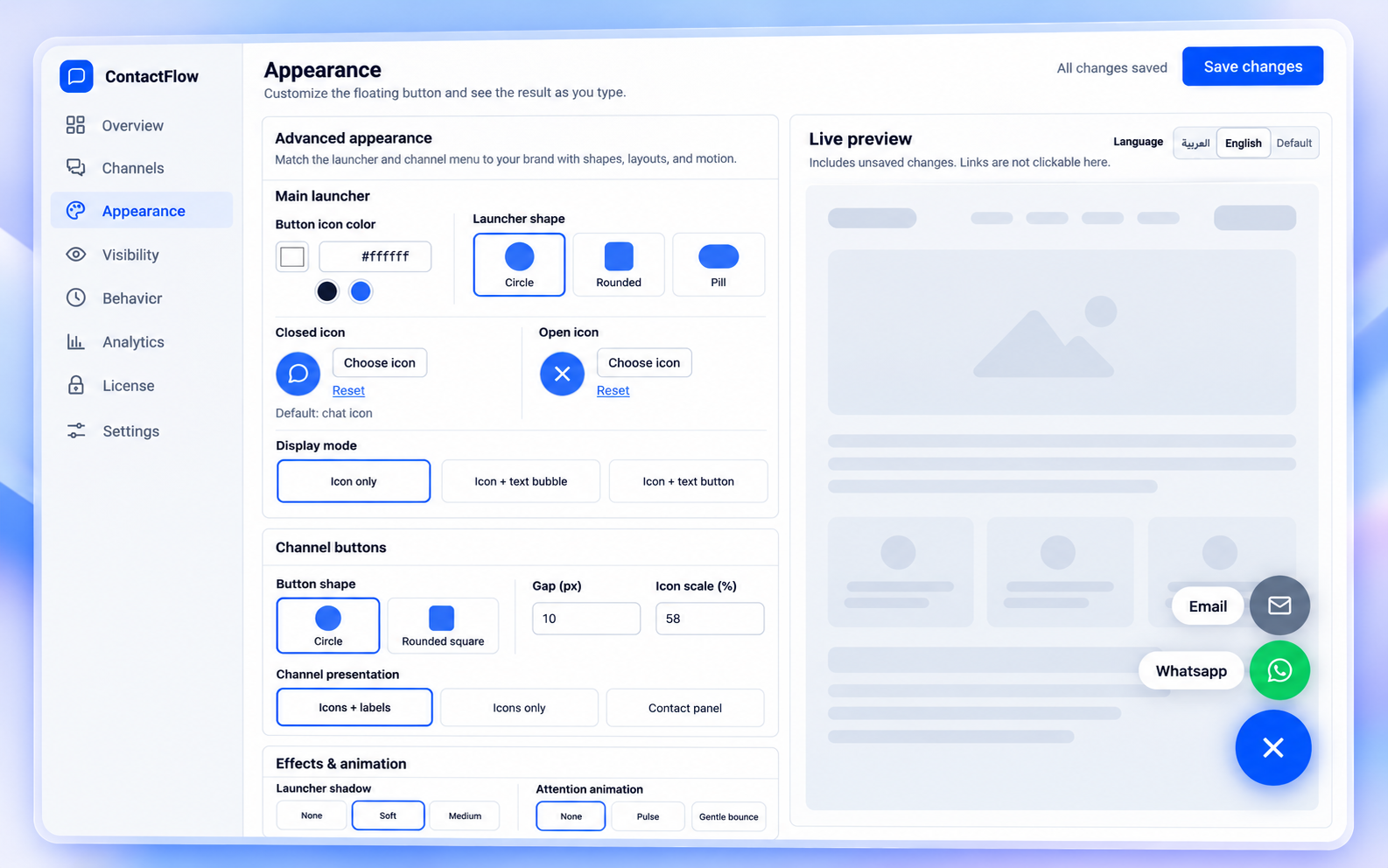
Pro · Design
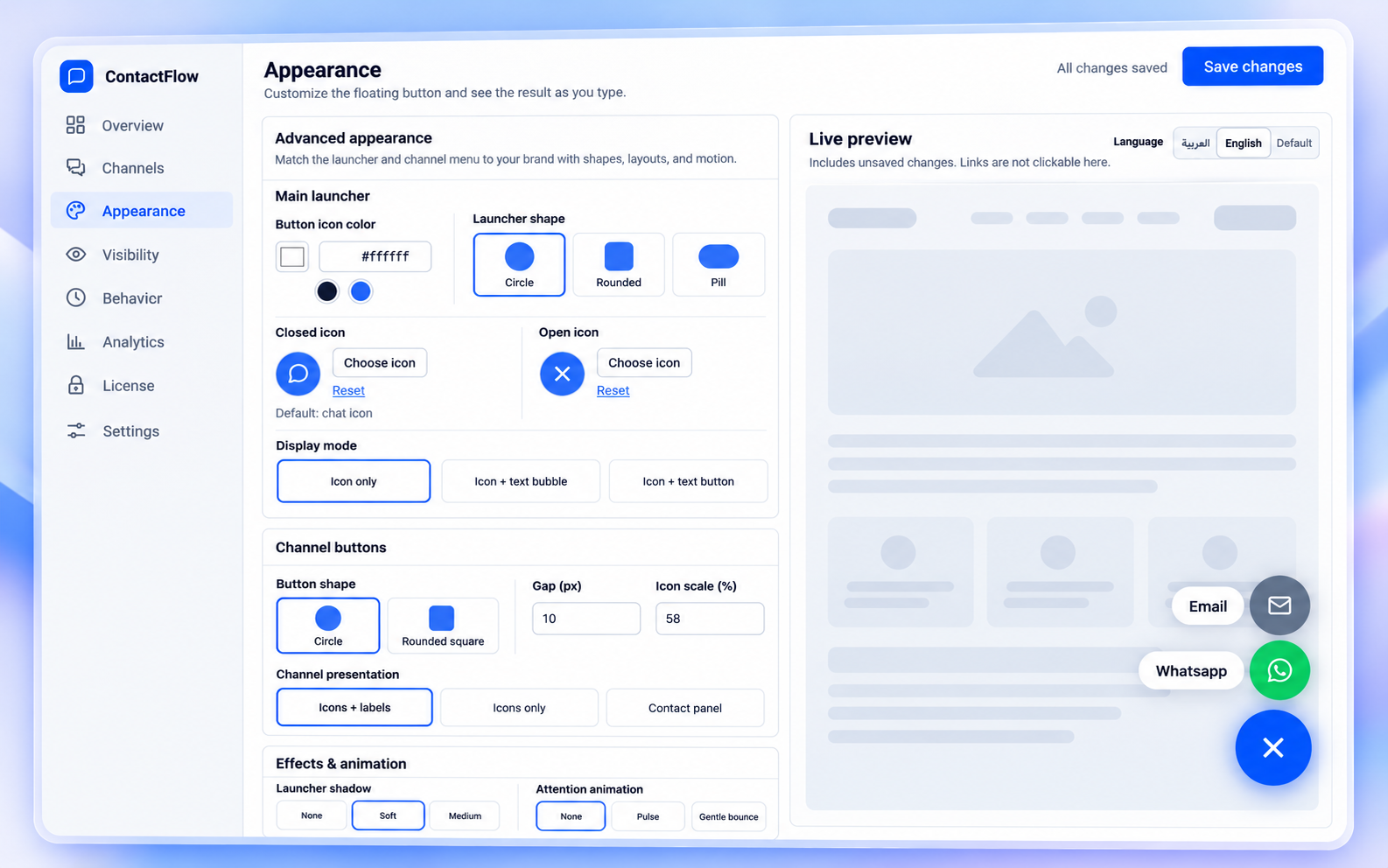
Go beyond basic position, color and size. With Pro, customize launcher shapes, text and icons, panel layouts, channel button styles, shadows and animations to fit your website experience.
Pro · Analytics
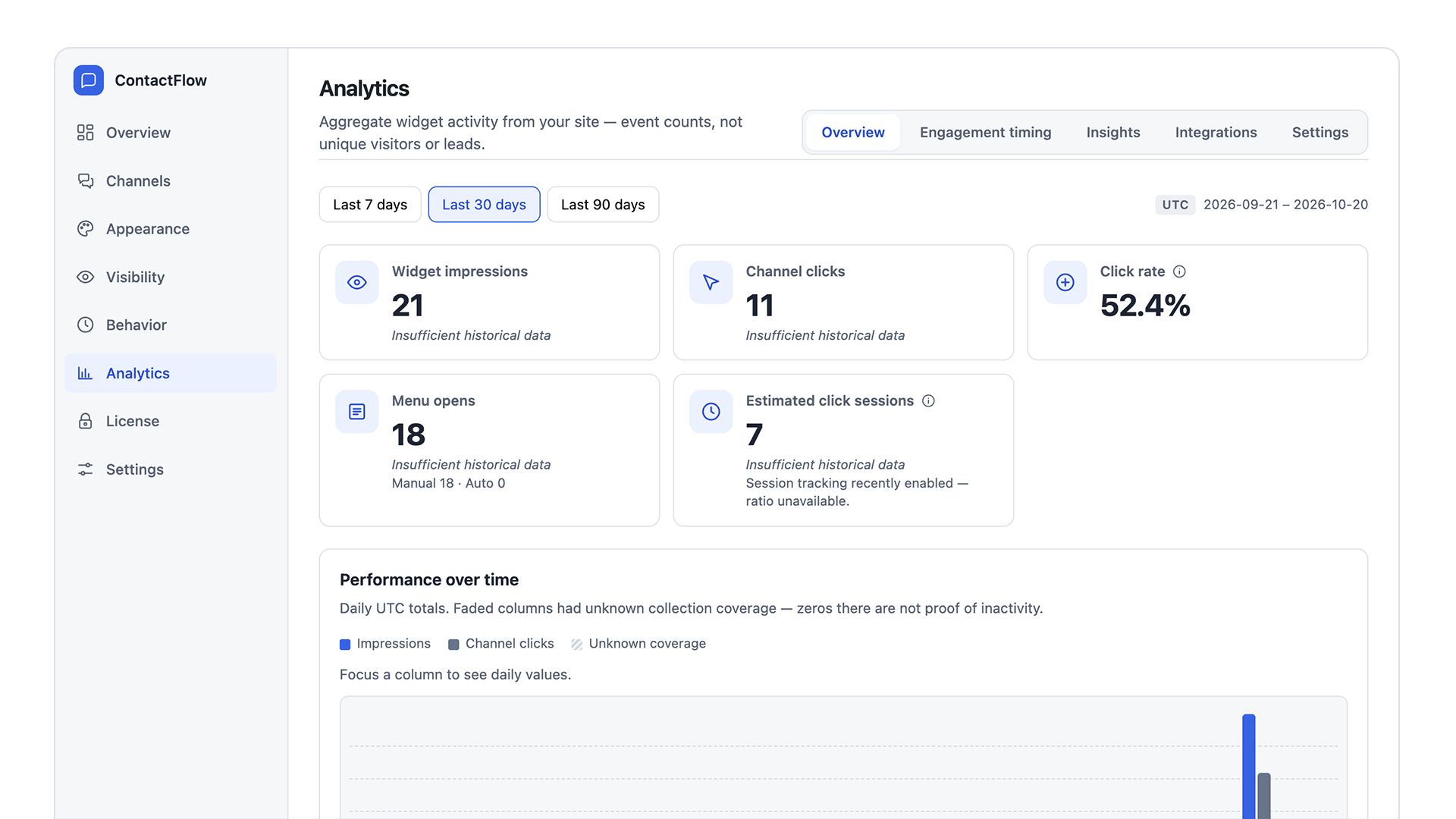
Track widget impressions, opens and channel clicks in your WordPress dashboard. Explore trends by time period, language and channel instance, and optionally forward supported events to GA4 or Google Tag Manager. These are interaction metrics—not verified leads or sales.
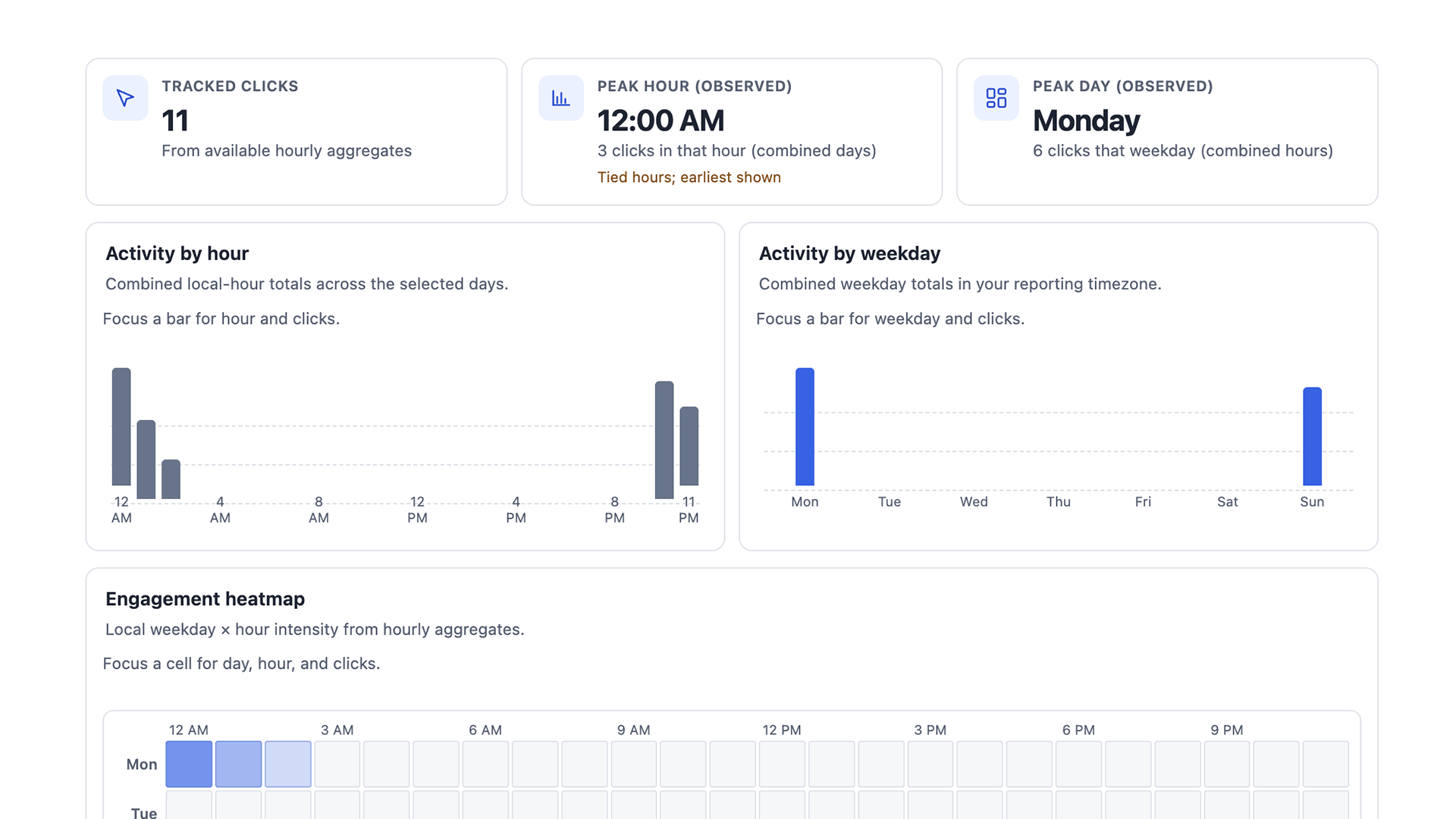
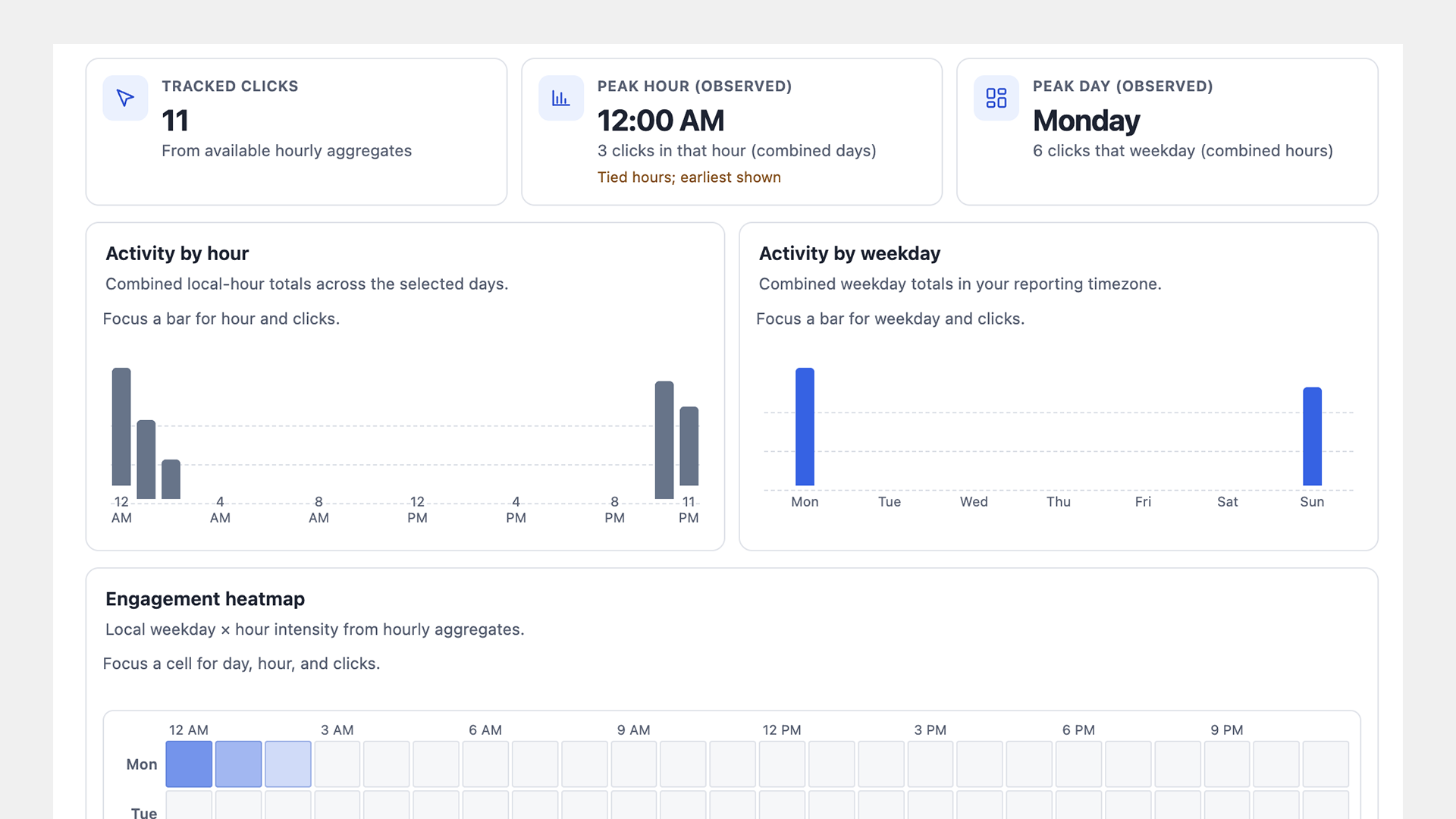
When visitors click your channels — local hours and weekdays from hourly aggregates, not exact timestamps.
More control, without more clutter
Add an optional prefilled WhatsApp message so visitors can start with context.
Use Polylang or WPML for translated channel labels and WhatsApp messages. Pro adds translated launcher text and panel titles.
With Pro, choose device visibility and exclude individual WordPress pages or posts.
With Pro, configure display delay and automatic opening for the widget.
Pro provides aggregate interaction reporting, consent options and configurable data retention.
Start with five active buttons on Free; expand to up to 100 channel instances on Pro.
Choose your starting point
A working floating widget, up to five active channels, basic appearance settings, per-channel icons and colors, optional WhatsApp messages and translated channel labels. No key required.
Advanced styling, more channel instances, page/device visibility, timing rules, interaction analytics, optional GA4/GTM forwarding and eligible license-based updates.
Get started
Choose Free or a paid plan, download the ZIP from My Software and install it on your WordPress site.
Enter your WhatsApp number, phone, email or supported social links. Choose labels, colors and icons.
Set the basic appearance, then publish the widget. Free works without activating a license.
Purchase a Pro plan and enter its license key to unlock advanced controls and interaction reporting.
Start free or choose a paid license with updates, support, and Pro features.
1 USD
39 USD Billed annually
Sign in or create an account to continue.
5 USD
10 USD Billed annually
Sign in or create an account to continue.
Start with up to 5 active contact buttons. No license key required.
Free
Free download — no license key
Sign in or create an account to continue.
Yes. The Free plan works without a license key and allows up to five active contact buttons.
No. The same ContactFlow plugin supports Free and Pro. A valid paid license unlocks Pro capabilities.
ContactFlow supports WhatsApp, phone, email, multiple social platforms, booking links and a custom HTTPS link, among other preset options.
No. Pro analytics measures widget impressions, opens and contact-button clicks. A click does not prove that a message was sent, a lead was acquired or a sale happened.
With Pro, you can optionally forward supported events to Google Analytics 4 (GA4) or Google Tag Manager (GTM), subject to your configuration and consent settings.
Pro supports device visibility controls and exclusions for individual WordPress pages and posts. It does not provide dedicated WooCommerce product/cart rules.
Yes. Polylang and WPML can be used for channel labels and WhatsApp messages. Pro also supports translated launcher text and panel titles.
The plugin separates Pro feature access from eligibility for updates and support. Feature availability depends on the license status; updates require an eligible license.
The audited plugin requires WordPress 6.4+ and PHP 8.1+.
Start with ContactFlow Free today. Upgrade to Pro when you want more control over presentation, timing and interaction analytics.
Choose your plan